
great AI Financial Forecasting Software for Small Business: The 2026 Guide
great AI Financial Forecasting Software for Small Business: The 2026 Guide
AI financial forecasting software for small business uses live accounting data, business drivers, and historical trends to project cash flow, revenue, and expenses — turning a static spreadsheet into a rolling forecast that updates itself and flags problems before they hit. There’s no single best option: Float is the strongest starting point for cash-flow visibility alone, Jirav fits growing businesses that want full income-statement and balance-sheet planning, and Cube or Datarails suit finance teams that don’t want to leave Excel behind.
Table of Contents
Why This Matters for Small Businesses Right Now
great AI Financial Forecasting Software for Small Business: The 2026 Guide
Cash-flow pressure is the actual reason this category exists, and the data behind it is unambiguous. The Federal Reserve’s 2025 Report on Employer Firms — its annual Small Business Credit Survey, covering firms with fewer than 500 employees — found 51% of firms cited uneven cash flow as a financial challenge, and 56% cited difficulty paying operating expenses. Bluevine’s September 2025 survey of 774 US business owners found 38.7% don’t have enough cash on hand to cover one month of operating expenses, and 51.3% said they’d tap emergency reserves within 48 hours just to make payroll. The same survey found genuine demand for exactly this category of tool: over two-thirds of owners said they’re interested in using AI specifically for cash-flow forecasting and financial tasks.
The UK shows a similar pattern. QuickBooks reported 47% of UK small businesses faced cash-flow challenges in 2025, and 62% were owed money on unpaid invoices — late payment is a direct, measurable reason a rolling forecast beats a static one.
AI adoption numbers for this specific use case are messier, and worth reading carefully rather than taking at face value. QuickBooks’ own survey found 68% of US small businesses used AI regularly in 2025, up from 48% in mid-2024 — but that measures broad AI use, not financial forecasting specifically. Narrower estimates suggest something closer to one in five small businesses actively use AI for bookkeeping or financial insight, and separate research from the SBA’s Business Trends and Outlook Survey shows the gap between large and small business AI adoption has closed dramatically over the past two years — a stricter, “production use” measure rather than a broad experimentation count. In the UK, government DSIT research puts overall business AI adoption at 16%, while a YouGov survey focused specifically on SME leaders found 31% already using AI tools with another 15% planning to. None of these numbers directly contradict each other — they’re measuring different populations with different definitions of “using AI.”
What AI Financial Forecasting Software Actually Does
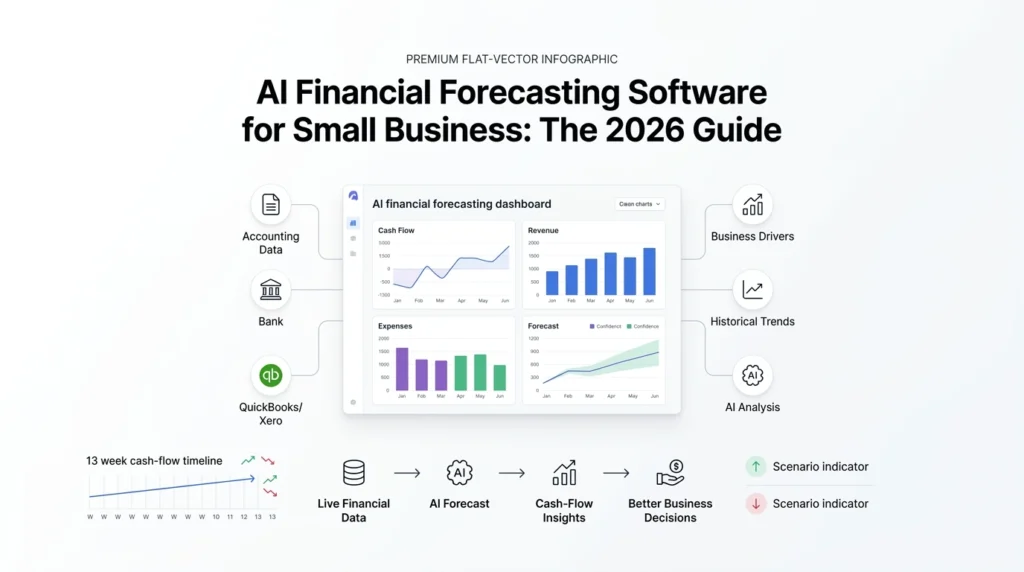
- Automated data ingestion — connecting to QuickBooks, Xero, payroll, banks, CRM, and spreadsheets so actuals feed the forecast without manual re-entry.
- Rolling cash-flow forecasting — inflows, outflows, minimum balance, runway, and projected shortage dates, typically on a 13-week horizon for catching near-term problems early.
- Revenue and expense forecasting built from historical trends, seasonality, recurring costs, and pipeline data rather than last year’s totals repeated forward.
- Driver-based planning — modeling assumptions like average order value, headcount, utilization, churn, and payment terms instead of a single top-line guess.
- What-if and scenario analysis — base, upside, and downside cases: what happens if sales drop 15%, or a major customer pays 30 days late.
- Anomaly and variance detection, flagging unusual expenses or gaps between budget and actual results automatically.
- Natural-language financial analysis — asking a plain-English question like “why is cash lower than forecast?” instead of digging through a spreadsheet.
- Management reporting — dashboards, budget-vs-actual commentary, and board or lender updates generated without manual consolidation.
Comparing the Top Platforms
| Platform | Best For | Strengths | Watch Out For |
|---|---|---|---|
| Float | Small businesses that need cash-flow visibility fast | Visual, real-time forecasting; integrates with Xero and QuickBooks; recurring-cost detection | Primarily cash-flow focused — not a full three-statement FP&A replacement |
| Jirav | Growing businesses and accounting firms | Driver-based planning, workforce planning, full income-statement/balance-sheet/cash-flow projections | More setup than a microbusiness with simple finances typically needs |
| Cube | Teams that live in spreadsheets | Keeps Excel/Google Sheets as the interface while adding centralized planning and reporting | Still requires model discipline — a spreadsheet-friendly tool isn’t a governance-free one |
| Datarails | Excel-native SMB and mid-market finance teams | Consolidates ERP/CRM/HRIS/bank data into Excel workflows with AI-generated explanations | Broader FP&A feature set is more than a sole trader typically needs |
| Planful | Mid-market and enterprise finance departments | Explainable ML projections, anomaly detection, governed planning at scale | Built for organizations with formal FP&A processes and data teams, not a typical small-business budget |
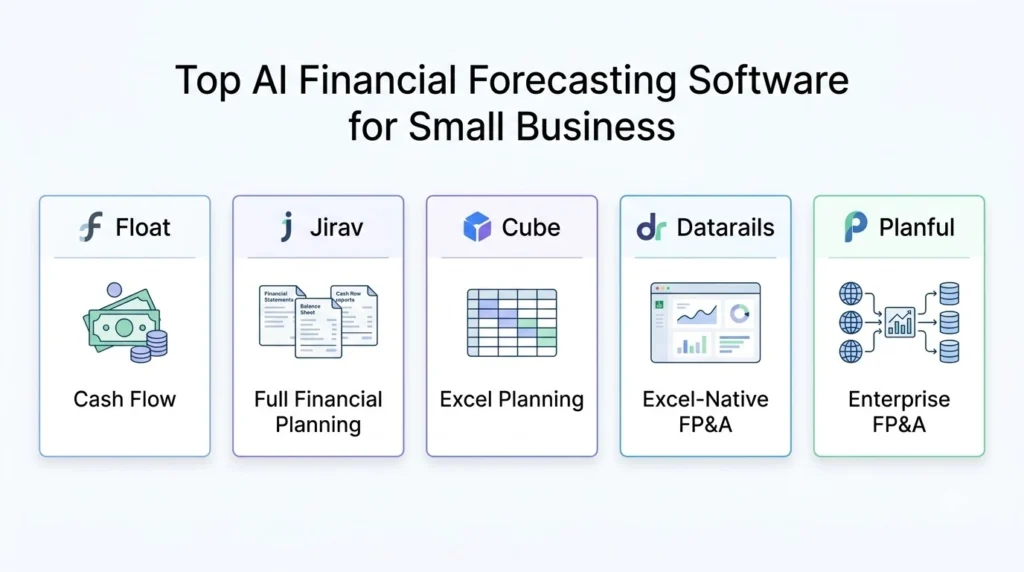
The honest selection rule: don’t call every accounting app an “AI forecasting platform” — they’re not solving the same problem. Float answers “will we have enough cash in six weeks.” Jirav answers that plus full statement-level planning. Cube and Datarails answer it without asking your finance team to leave Excel. Planful is built for a scale most small businesses haven’t reached yet.
Building Your First Rolling Forecast: 5 Steps
- Connect your accounting platform and bank feed first. Every forecast is only as good as the transaction data underneath it — clean this up before trusting any AI-generated projection.
- Start with a 13-week cash-flow view, not a full annual budget. It’s the horizon most useful for catching a near-term shortfall while there’s still time to act.
- Set driver-based assumptions, not a flat growth percentage — average order value, payment terms, and headcount plans move a forecast more realistically than “grow 10%.”
- Build one downside scenario before you need it. Model what happens if your biggest customer pays 30 days late or a hire doesn’t work out, before either actually happens.
- Back-test against a prior period. Run the tool’s forecast against a quarter you’ve already closed and see how far off it was — that tells you more about its real accuracy than any vendor claim.
How Accurate Is AI Forecasting, Really?
Treat this honestly: AI forecasting software produces an estimate from historical and operational data — it is not a guarantee of future cash or revenue. Accuracy depends on clean bookkeeping, enough transaction history, and realistic assumptions, and it degrades fast if any of those are missing. Some platforms are explicit about this — Planful, for instance, states its projections use at least three years of historical data for a reliable baseline, though simpler cash-flow tools can still add value with less history if you’re providing clear assumptions yourself. Whatever tool you use, keep a human reviewing the output before it drives a hiring, financing, or pricing decision.
Common Mistakes Small Businesses Make
- Trusting the forecast more than the bookkeeping behind it. A forecast built on unreconciled accounts or inconsistent categorization will confidently give you the wrong number.
- Skipping the downside scenario. Most owners only model the case they’re hoping for, which defeats the purpose of scenario planning.
- Buying more platform than the business needs. A five-person shop doesn’t need Planful’s enterprise governance layer any more than a 200-person company should run its planning off a single Float dashboard.
- Treating the forecast as a one-time setup. A rolling forecast is only useful if it’s actually kept rolling — revisit assumptions monthly, not annually.
also checkout –True AI Stock Analysis and Portfolio Management Tools: The 2026 Guide
FAQs
What is the best AI financial forecasting software for a small business? There’s no universal winner — it depends on what you need. Float is a strong starting point for cash-flow visibility alone, Jirav suits businesses wanting integrated income-statement and balance-sheet planning, Cube or Datarails fit teams that want to keep working in Excel, and Planful is generally better suited to larger organizations with a dedicated FP&A function.
Can AI forecasting software connect to QuickBooks or Xero? Most small-business-focused tools can. Float explicitly supports both Xero and QuickBooks integrations, and Jirav connects to accounting platforms, Excel, and Google Sheets. Confirm the specific country, edition, and sync frequency supported before buying, since coverage can vary.
How accurate is AI financial forecasting? It varies by business and forecast horizon, and depends heavily on data cleanliness, transaction history, and how realistic your assumptions are. No vendor should be treated as offering guaranteed accuracy — back-test any tool against a closed prior period before relying on it for a major decision.
Can AI financial forecasting replace an accountant or CFO? No — it automates data preparation, baseline forecasting, and variance reporting well, but it should support professional judgment on tax, financing, and other high-stakes decisions, not replace it.