
Best AI Internal Wiki Tools for Remote Agencies in 2026
Best AI Internal Wiki Tools for Remote Agencies in 2026. An AI internal wiki combines your team’s scattered documentation with natural-language search, permission-aware retrieval, and grounded answers with citations — so employees ask a question in plain English instead of digging through Slack, Google Drive, and outdated wiki pages. For a remote agency specifically, Notion AI and Slite work well as an all-in-one documentation layer, while Guru and Glean specialize in governed, cross-tool search once the agency outgrows a single workspace.
Table of Contents
Why This Matters More Than the Adoption Stats Suggest
Ask “how many businesses use AI” and the honest answer is: it depends entirely on which survey you’re reading. A single Federal Reserve research note published in April 2026 tracked three different US data sources and got three different numbers from the same underlying reality — Census Bureau firm-level data put firm adoption at about 18% as of year-end 2025, individual-level survey data put work-related generative AI use at about 41%, and a separate survey of senior business leaders found 78% of the labor force works at a firm that has adopted AI in some form, with 54% at firms specifically using large language models. Same underlying trend, four different-looking numbers, depending entirely on whether you’re counting firms, workers, or which kind of AI use counts.
The UK tells a similar adoption story with better documentation of the trend line: the Office for National Statistics found AI use among businesses with 10+ employees climbed from roughly 12% in late 2023 to 35% by June 2026, reaching 49% among businesses with 250+ employees and about 58% in the information and communication sector specifically. But adoption is still shallow even where it exists — the average number of AI technologies in use per AI-adopting UK business only grew from about 1.4 to 1.6, and just 10% of AI-using businesses describe their use as extensive. Most organizations are still experimenting, not operating on AI as core infrastructure.
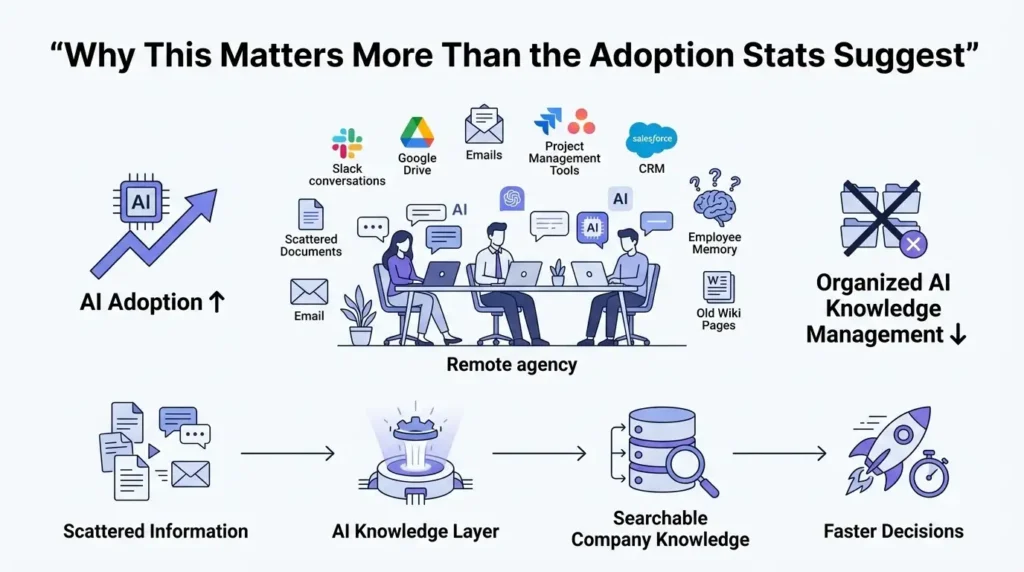
Here’s the distinction that actually matters for this category: general AI adoption isn’t the same thing as AI knowledge-management adoption. A company can have half its staff using ChatGPT daily and still have zero governed internal knowledge base, no documented processes, and no way to search across its own tools. That gap is exactly where remote agencies feel the most pain — knowledge scattered across Slack, Google Drive, project-management software, CRM systems, email, design tools, and, most precariously, individual employees’ memories. The result is duplicated work, inconsistent answers to the same client question, and a dangerous dependence on whoever’s been there longest.Best AI Internal Wiki Tools for Remote Agencies in 2026.
What These Tools Actually Do
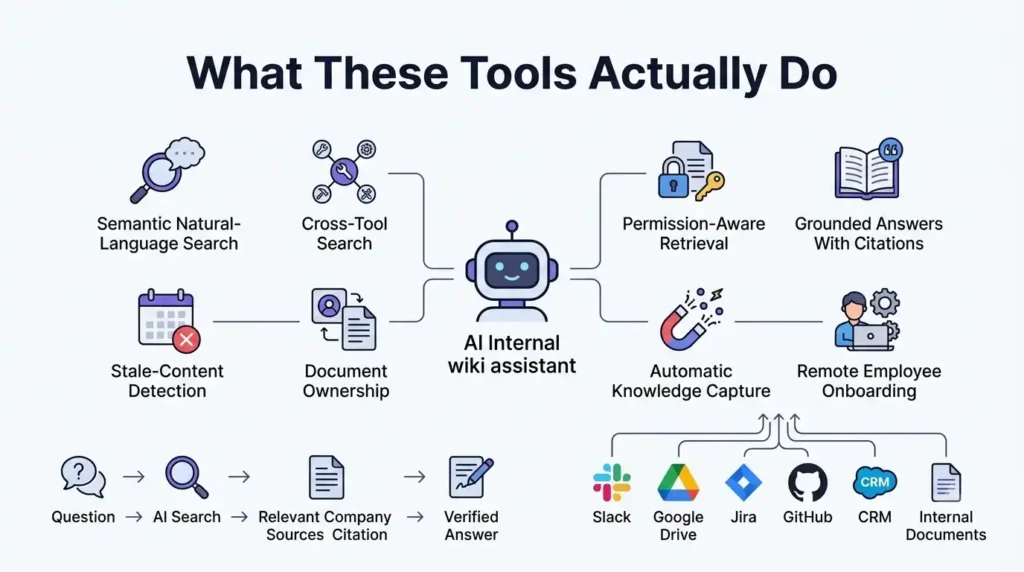
- Semantic natural-language search. Ask “what’s our standard onboarding process for a new healthcare client?” instead of remembering an exact page title — strong systems blend keyword, semantic, and contextual retrieval.
- Federated cross-tool search. The better platforms search across Slack, Google Drive, Jira, GitHub, Teams, SharePoint, and similar sources rather than just their own workspace.
- Permission-aware retrieval. The system inherits access rights from the source — an employee shouldn’t get an AI-generated answer pulling from a restricted client folder or a private HR document just because the AI could technically find it.
- Grounded answers with citations. A trustworthy assistant answers from approved sources, links to them, and flags uncertainty rather than generating a plausible-sounding but unsupported answer.
- Stale-content detection. AI flags pages that haven’t been reviewed, reference former employees, or contain outdated pricing or process steps.
- Document verification and ownership. Pages get owners, review dates, and change history — the difference between a wiki and an actually-maintained operating system.
- Automatic knowledge capture. Slack decisions, meeting transcripts, and resolved support threads become draft documentation automatically, with human approval before anything becomes official.
- Onboarding acceleration and role-churn protection. New hires get guided answers linked to real SOPs instead of repeatedly interrupting a manager, and departing employees’ undocumented context — client preferences, past decisions, known risks — gets captured before it walks out the door.
The Catch: Real AI Search Is Usually Concentrated in Fewer Tiers Than It Looks
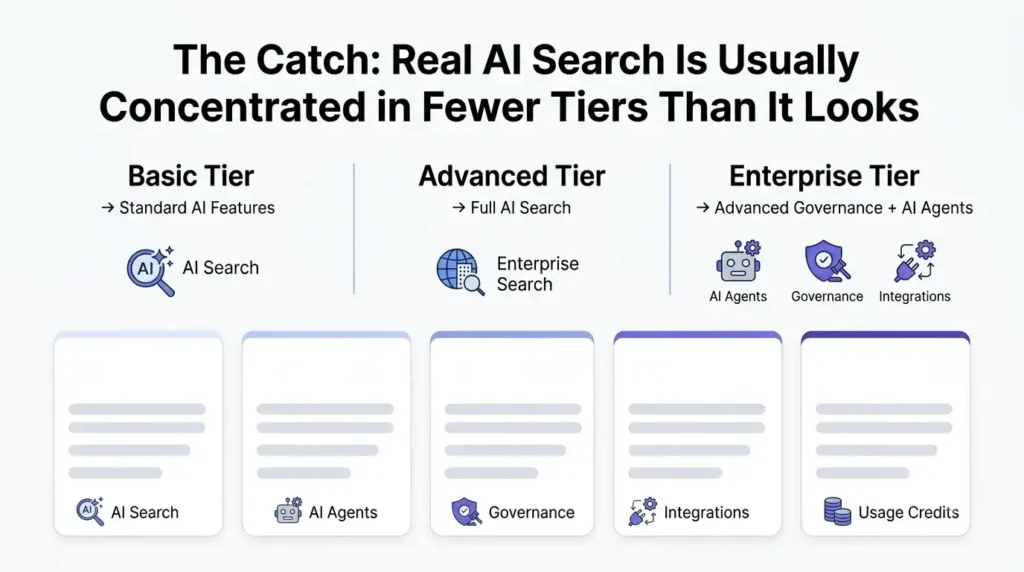
This pattern shows up across nearly every platform in this category, and it’s worth knowing before you price one out.
Notion retired its standalone $10/month AI add-on for new customers in early 2026. Full Notion AI — the Notion Agent, Enterprise Search across connected apps, and AI Meeting Notes — now requires the Business plan at $20/user/month (billed annually) or Enterprise; Free and Plus users get only a capped trial. And since May 2026, heavy use of Custom Agents runs on a separate metered credit system — $10 per 1,000 credits, no rollover — billed on top of your seat price.
Guru does publish self-serve pricing at $25/seat/month, which sounds accessible — until you hit the 10-seat minimum, which makes the real entry price $250/month, not $25. Deeper governance and security controls remain reserved for the sales-led Enterprise tier above that.
Glean stays fully quote-based, and reported base seat prices vary widely by source — anywhere from roughly $10 to $50+/user/month depending on scale and negotiation — with AI and Agent usage beyond included allowances billed separately through Glean’s FlexCredits system. Annual or multi-year contracts are standard; there’s no month-to-month option.
Slite relaunched in June 2026 and dropped its free plan entirely — Basic and Pro now both run on 14-day trials only, and SSO and admin controls stay locked to the Premium tier.
Taskade is genuinely confusing to price right now: different sources report entry points anywhere from $6 to $29/month, which likely reflects Taskade’s pivot toward AI app and agent building (branded “Taskade Genesis”) alongside its original task-and-wiki roots. Confirm which product line’s pricing you’re actually looking at before comparing it to anything else on this list.
Real 2026 Pricing at a Glance
| Platform | Best For | Real 2026 Pricing | The Catch |
|---|---|---|---|
| Notion AI | All-in-one wiki, projects, and docs for teams willing to standardize on Notion | Business $20/user/mo (annual) for full AI; Enterprise custom | Free/Plus only get a capped AI trial; heavy Custom Agent use adds metered credits on top |
| Guru | Governed knowledge delivery with verification and Slack-native answers | $25/seat/mo self-serve, but with a 10-seat minimum (~$250/mo real floor); Enterprise custom | Advanced governance and security sit above the self-serve tier |
| Glean | Large, fragmented enterprise stacks needing deep federated search | Quote-based; reported roughly $10–$50+/user/mo depending on scale | AI/Agent usage beyond included allowances bills separately via FlexCredits; annual contracts only |
| Slite | Small agencies wanting a focused, easy-to-adopt documentation system | Basic ~$10/user/mo, Pro ~$20/user/mo (no free plan as of the June 2026 relaunch) | SSO and admin controls are Premium-tier only |
| Taskade | Small teams wanting AI agents and task execution alongside lightweight docs | Reported $6–$29/mo depending on tier and product line | Pricing structure is genuinely in flux — confirm which Taskade product you’re quoting |
Treat every figure here as a snapshot rather than a permanent rate — several of these vendors have changed pricing or packaging within the past few months, so confirm current numbers directly before committing to a contract.
Step-by-Step: Rolling Out an AI Knowledge Layer at a Remote Agency
- Start with the documents that answer your most repeated questions, not an attempt to document the entire company at once — client onboarding, delivery SOPs, and access/security procedures tend to pay off fastest.
- Run a real proof-of-concept before buying. Test actual agency questions, deliberately outdated documents, permission boundaries, and genuine Slack threads — public benchmarks comparing these platforms’ answer accuracy are thin, so you have to check this yourself.
- Assign an owner and a review date to every page you migrate, not just the important-looking ones — an unowned page is the one that goes stale first.
- Test permission inheritance specifically against a client-confidential folder before rolling anything out agency-wide. This is the failure mode that actually damages client trust, so don’t take a vendor’s word for it.
- Turn on Slack or meeting capture early so new decisions become documentation automatically going forward, rather than only backfilling old material.
- Track unanswered questions and search failures from week one. That list is your real content gap analysis — more reliable than guessing what to document next.
- Revisit tier fit after 60–90 days of real usage, once you know your actual seat count, query volume, and AI credit consumption, rather than locking into an annual contract based on a demo.
Which Platform Fits Which Agency
- Agency already living inside Notion for docs and project databases — Notion AI’s Business tier is the natural upgrade path, as long as the $20/seat jump (plus potential Custom Agent credits) fits the budget.
- Agency that wants verified, governed answers surfaced directly in Slack — Guru fits, provided you’re comfortable with the effective $250/month floor from the 10-seat minimum.
- Agency with a genuinely large, fragmented tool estate and IT resources to manage it — Glean’s federated search justifies its enterprise pricing at that scale; it’s overbuilt for a 10–30 person team.
- Small agency wanting a focused, low-friction documentation system — Slite’s simplicity is the draw, just budget for Pro if SSO or deeper AI search matters.
- Small team that wants lightweight docs plus AI agents and automation in one place — Taskade fits, but nail down current pricing for the specific product tier before committing.
Bottom Line
The technology genuinely solves the problem it claims to: turning scattered, chat-buried knowledge into something searchable in plain English, with permissions that actually hold. What it doesn’t solve on its own is participation — an AI layer over an unmaintained wiki just finds unmaintained information faster. Pick the platform that matches your actual tool sprawl and team size, pilot it against real, messy agency questions before buying, and build page ownership into the rollout from day one rather than hoping it happens organically.
also checkout – best AI Contract Management Software: The 2026 Guide for Small Businesses and Agencies
FAQs
What is an AI internal wiki?
It’s a knowledge-management system that combines structured company documentation with natural-language search, grounded AI answers backed by citations, and automated maintenance workflows — letting employees ask plain-English questions instead of hunting through folders and old pages for the right document.
What’s the best AI knowledge-management tool for a remote agency?
It depends on your size and existing stack: Notion AI or Slite for collaborative, all-in-one documentation; Guru when verified, governed answers delivered in Slack matter most; Glean when the agency has a large, fragmented enterprise stack requiring deep federated search; Taskade when AI agents and task execution matter as much as documentation.
Can AI search across Slack, Google Drive, Jira, and Notion at the same time?
Yes, several platforms in this category offer cross-tool connectors — Notion lists Slack, Google Drive, Jira, GitHub, Teams, SharePoint, and OneDrive, while Glean advertises 275+ connectors. Connector depth, sync speed, and how well permissions carry over all need to be tested directly rather than assumed from a features page.
How do AI knowledge bases avoid hallucinating answers?
They reduce the risk through retrieval limited to approved sources, visible citations, permission checks, and confidence signals that flag uncertainty rather than guessing — but no platform makes an unsupported answer impossible. For anything client-facing, legal, financial, or security-related, require citation-backed answers and spot-check them rather than trusting the output by default.